
Complete the image: limit the number of points per attempt
We’re pleased to announce a new improvement 🎉 to the Complete image activity that will give you much more flexibility when creating your exercises: from now on you will be able to limit the number of points that will appear in each student attempt.
This improvement is available in all three activity modes: dragging labels, dragging images, and writing text.
🎙️What does it involve?
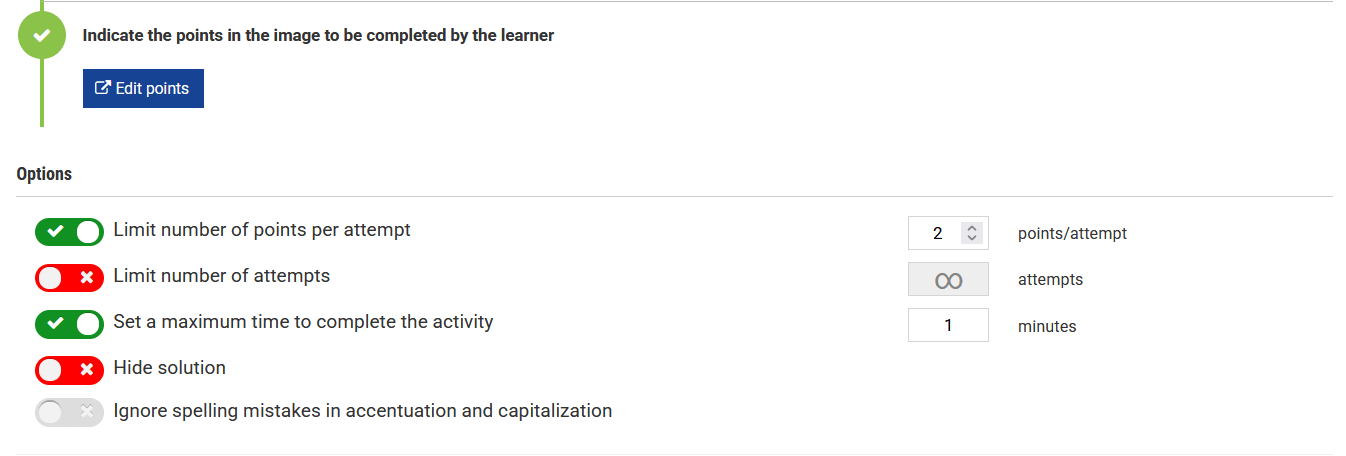
From the activity management screen, you can set a maximum number of points that will be shown in each attempt:
- If the limit is disabled, the activity will work as before: the student will see all the points in the image.
- If it is enabled, each attempt will show a random selection of points, so each new attempt may present a different selection.
- The number of available labels or images adapts automatically to the points selected in each attempt.
⚙️How will it help you?
Limiting the points per attempt will allow you, among other things, to:
- Reuse the same image with many points across multiple attempts: each time the student repeats the exercise, they’ll see a different selection.
- Prevent students from memorizing answers from one attempt to the next, truly testing their knowledge.
- Adjust the duration and difficulty of the exercise without needing to create new activities.
- Improve visibility in activities with many points. Showing only part of the image per attempt makes the activity easier to read.
🤔What happens to the exercises you’ve already created?
Nothing at all: all existing exercises will continue to work exactly the same as before, including student attempts that are already in progress. The limit is disabled by default and will only be applied when you enable it yourself in activity management.