
Launch of evolCampus AI
We are thrilled to share with all of you the launch of Artificial Intelligence on evolCampus, which will take place next Monday, April 13.
AI will be available to users with permissions to create and edit content in any of the languages available on the platform.
The main features that AI will offer you are:
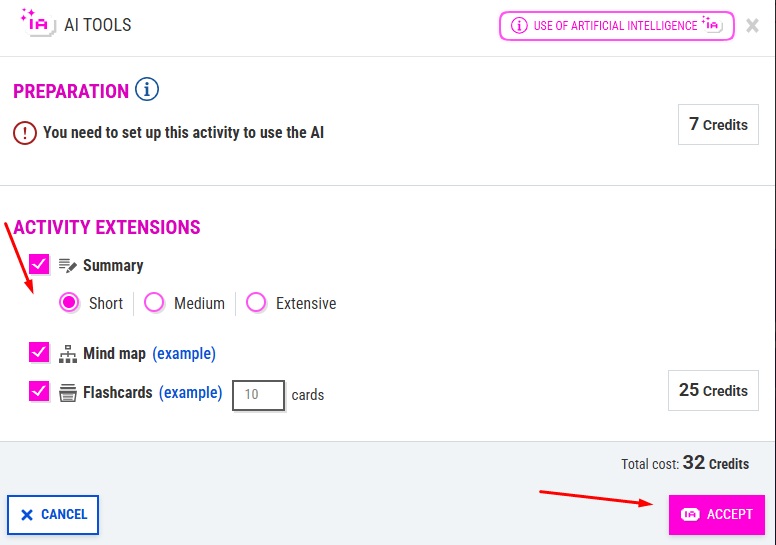
- Expand content: using your texts, PDFs, and videos, you can expand and enhance them by creating new formats such as mind maps, summaries, or flashcards. Just click on “AI Tools” in the activity and choose how you want to enrich your content.

This is how the student will see it once they've been activated:
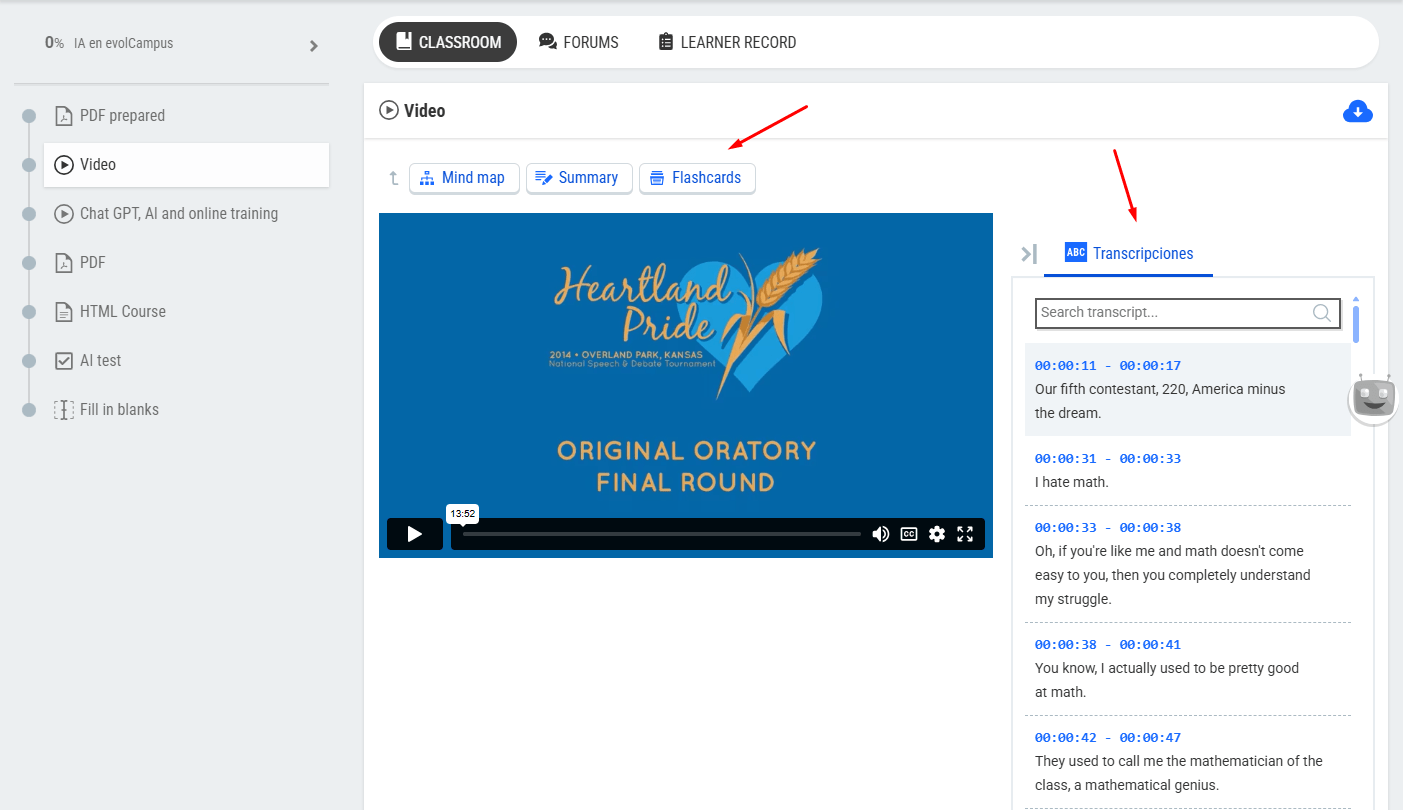
In the videos, you’ll also be able to:
- Automatically generate a transcript: students can follow along with the video in text form and search for specific words or terms to jump directly to that part of the video.
- Include subtitles in one or more languages.
- Creating new exercises: create exercises using AI based on one or more pieces of content in the course by selecting the desired options to generate questions.
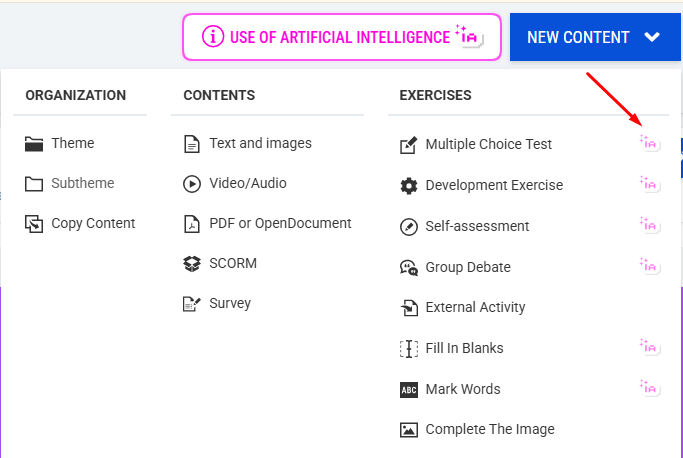
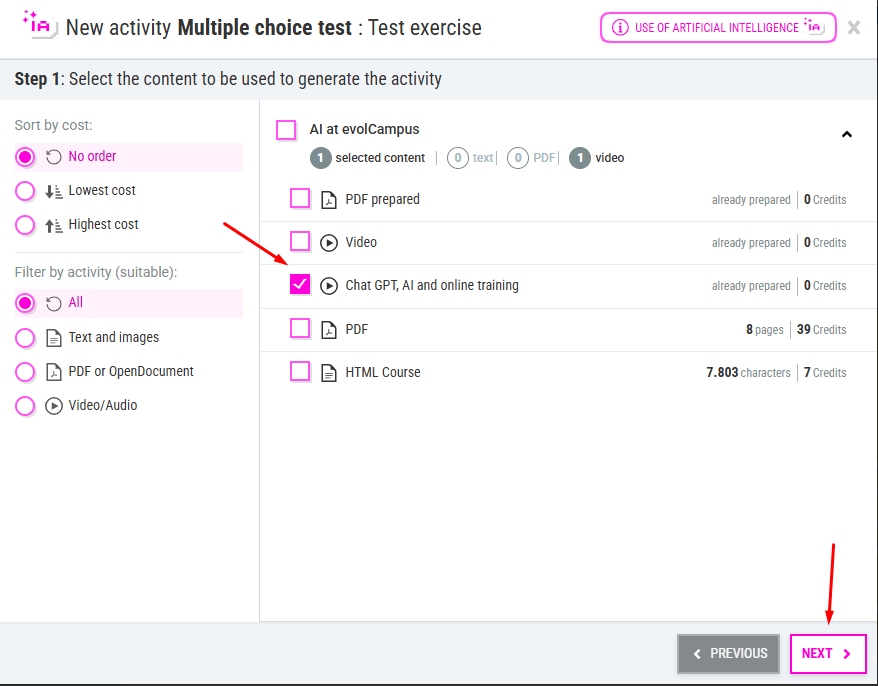
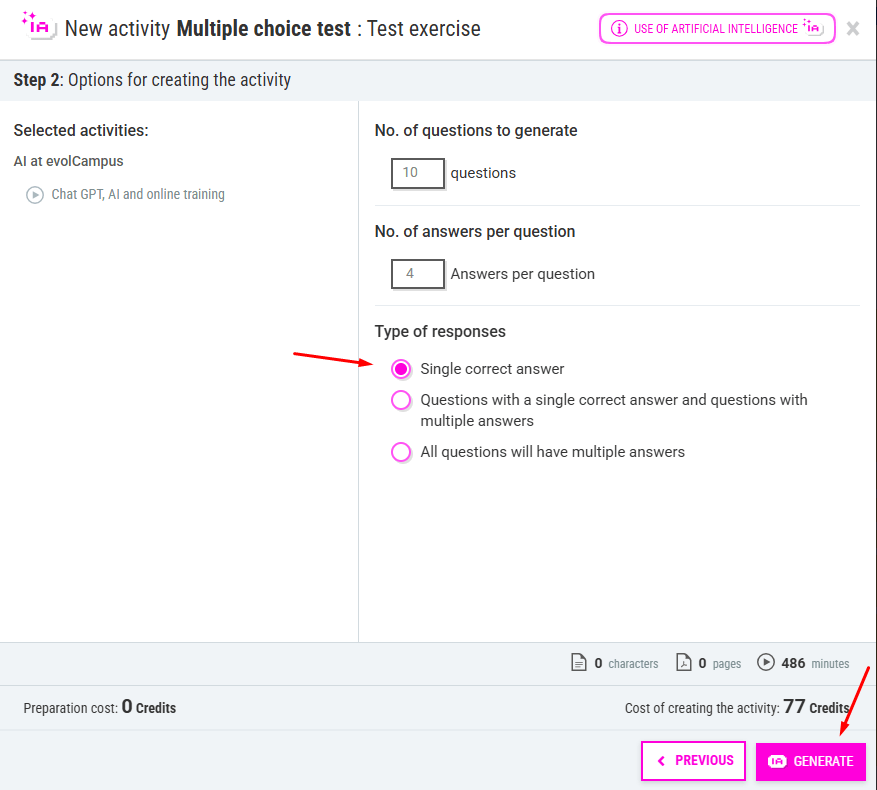
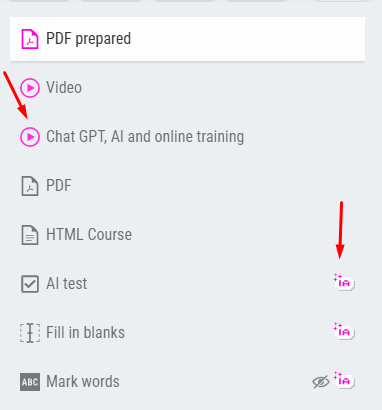
You can identify the generated exercises by the AI label or the pink activity color where you have created extra content (not visible to students).
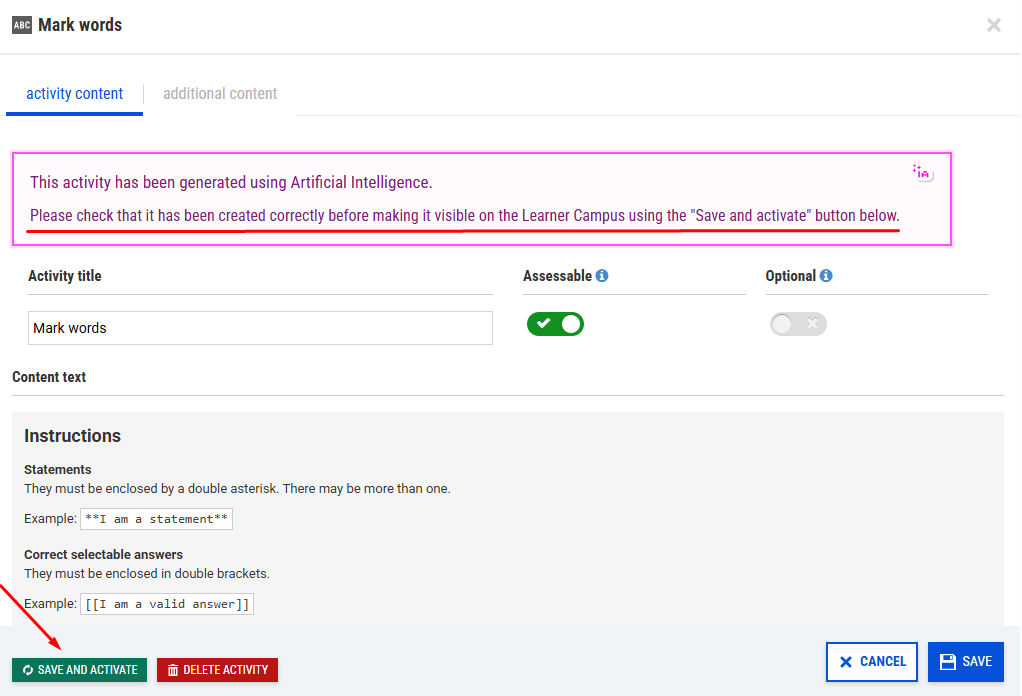
Both the extended content—such as mind maps, summaries, and flashcards—and the exercises that have been created can be reviewed and modified if necessary, before making them visible on the student’s campus.
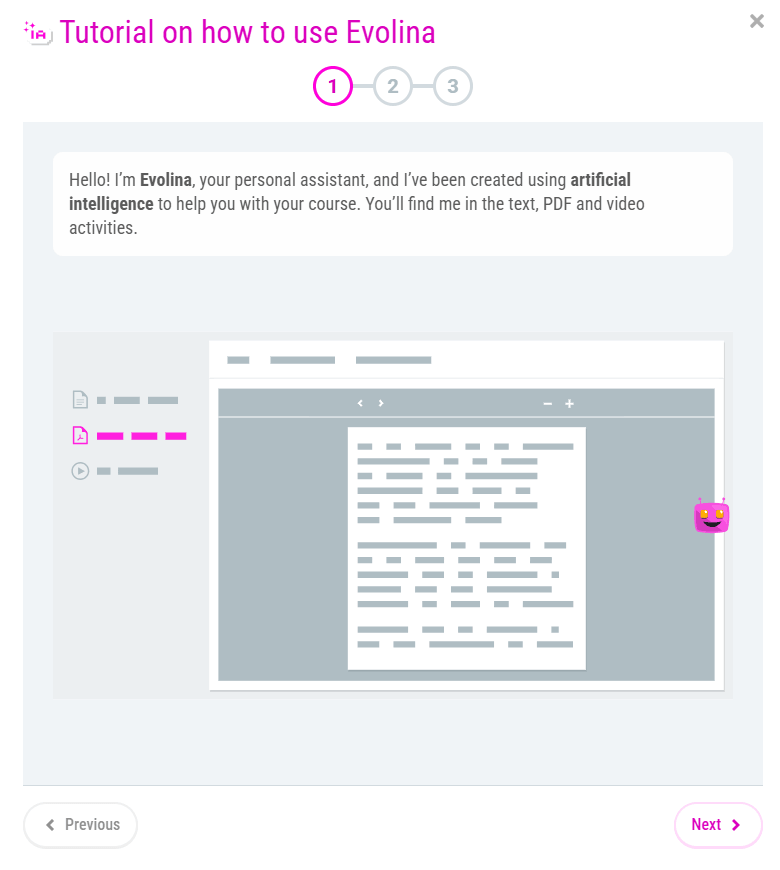
From the “Use of AI” button that appears in the content editor, all users with editing permissions can access a tutorial that provides a general overview of:
- What you can do with AI: in content management and for students on campus.
- When AI cannot be used: in activities where AI cannot access the content (SCORMs, videos hosted on external accounts, protected PDFs, activities with very short texts).
- Where to configure AI: activity extensions, creating new content, or enabling it on the campus.
- Explanation of the preparation process and the credit system: why the preparation process and how credits work are important.

- Facilitate your students' learning: In addition to the course content and supplementary activities mentioned earlier, students will be able to delve deeper into the subject matter, find more information, and resolve questions on their own—saving time for teachers and tutors.
When students access the course, they will see a guide and a brief tutorial explaining how it can help them.
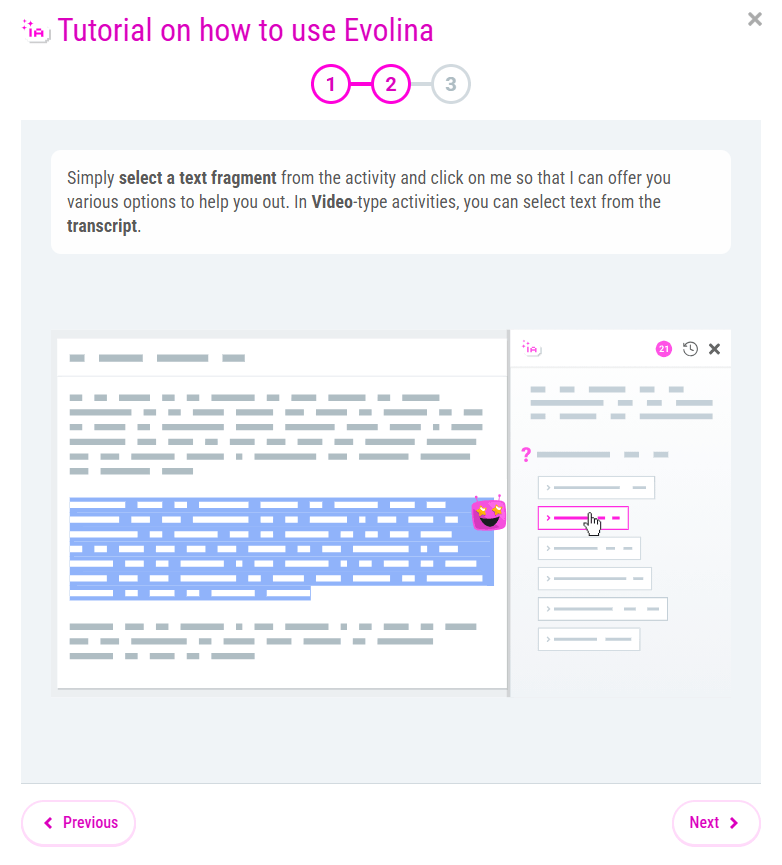
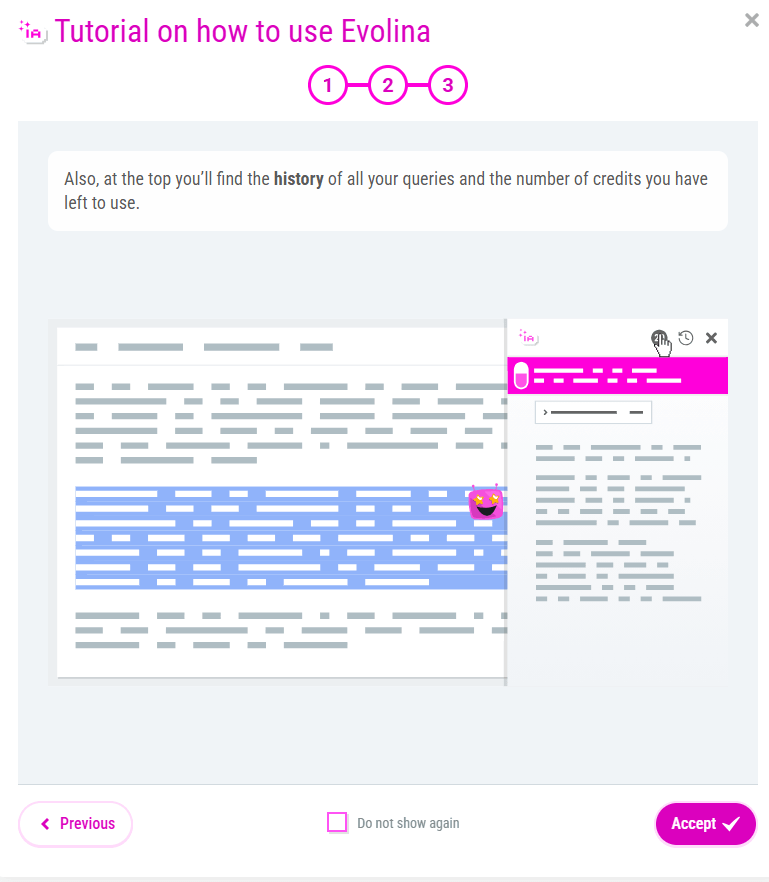
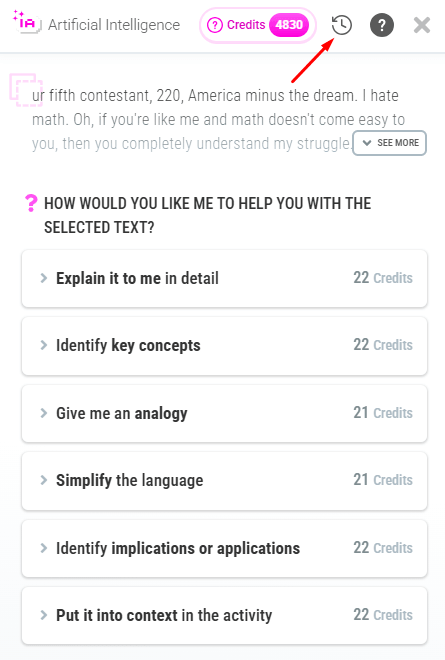
Students simply need to select the part of the text they have questions about to activate the AI assistant. When they click on it, it will show them the options available to help them with the selected paragraph. They can also view their query history:
From the group settings, you can enable the assistant for students and specify the maximum number of credits each student will have available to use.
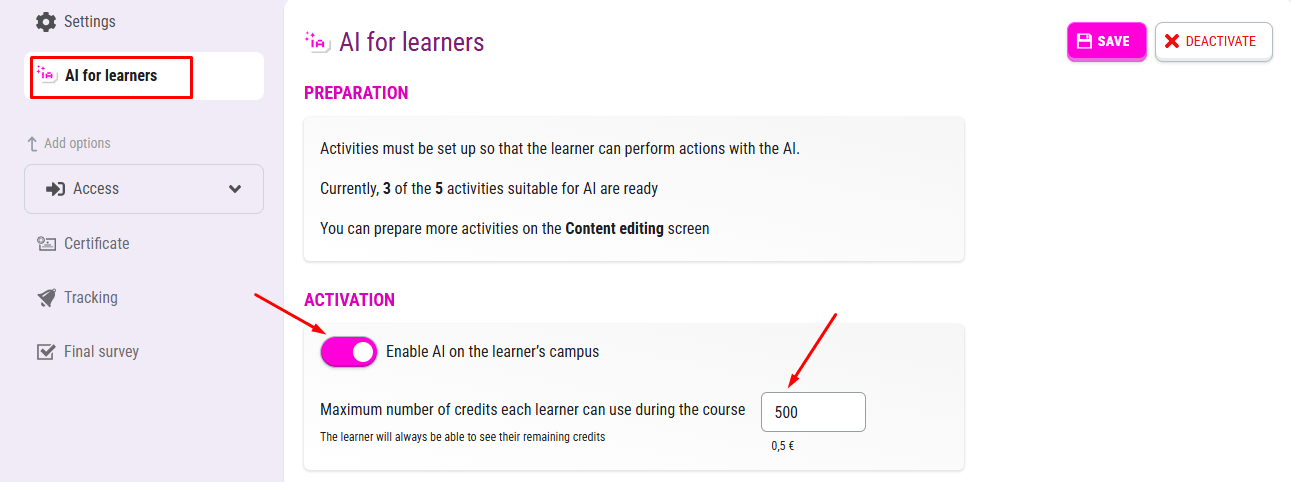
You’ll be able to choose which group of students to enable this tool for. You may also want to create AI-generated content for the course without giving students access to the assistant, or do both: enable the AI for students and generate new content for them.
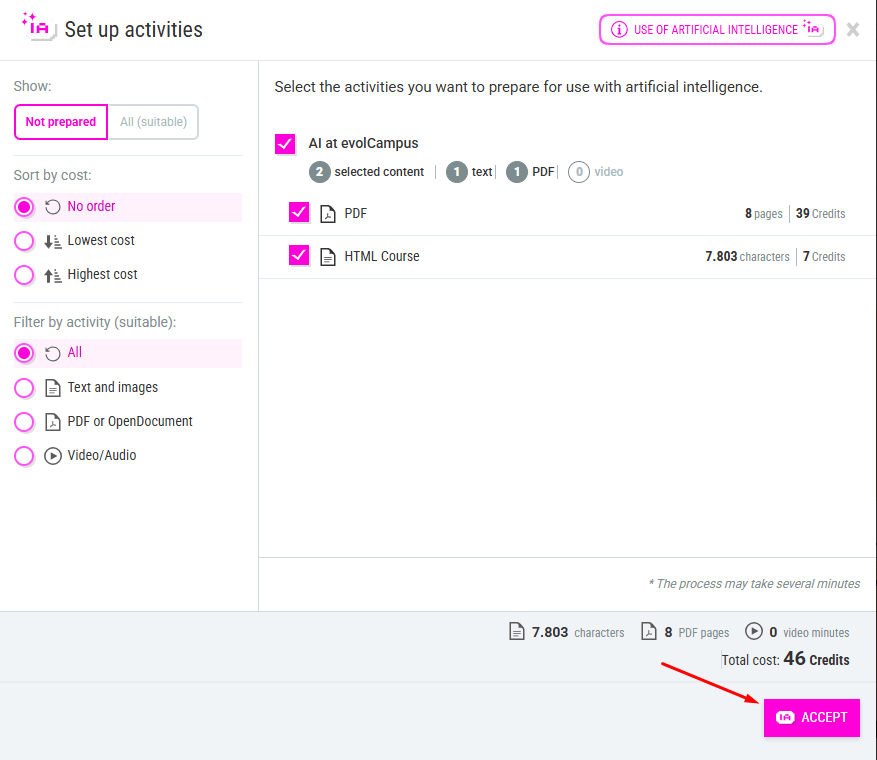
All content extensions, exercise creation, and the answers provided to students are of high quality. To ensure this, a preparatory process is required for each activity where AI will be used so that the information offered to students, as well as the generated material, aligns with your content, style, level, and tone.
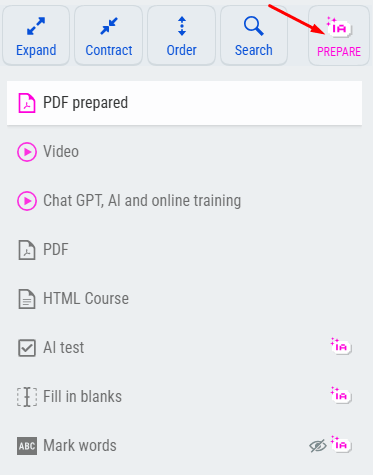
There are two ways to prepare the activities: when creating content extensions with AI, the activities are prepared at the same time, or in bulk using the button located at the top right of the activity list. The latter is especially useful if you want students to be able to ask questions about all course content, or to select specific content.
In the main menu, under the “AI Settings” button at the top, administrators can find information on:

- AI Tools: Where AI is used and what it can be used for.
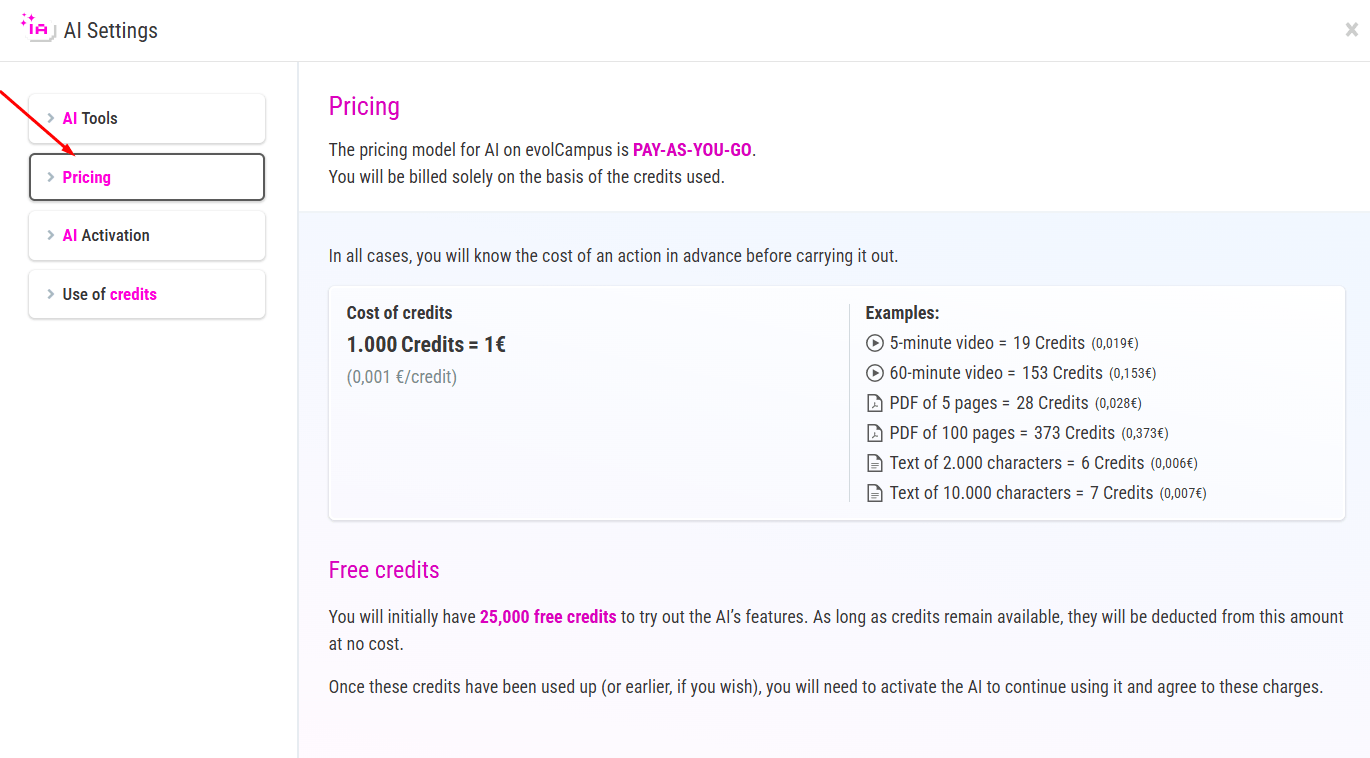
- Pricing: Examples of costs in credits and their equivalent in euro cents.
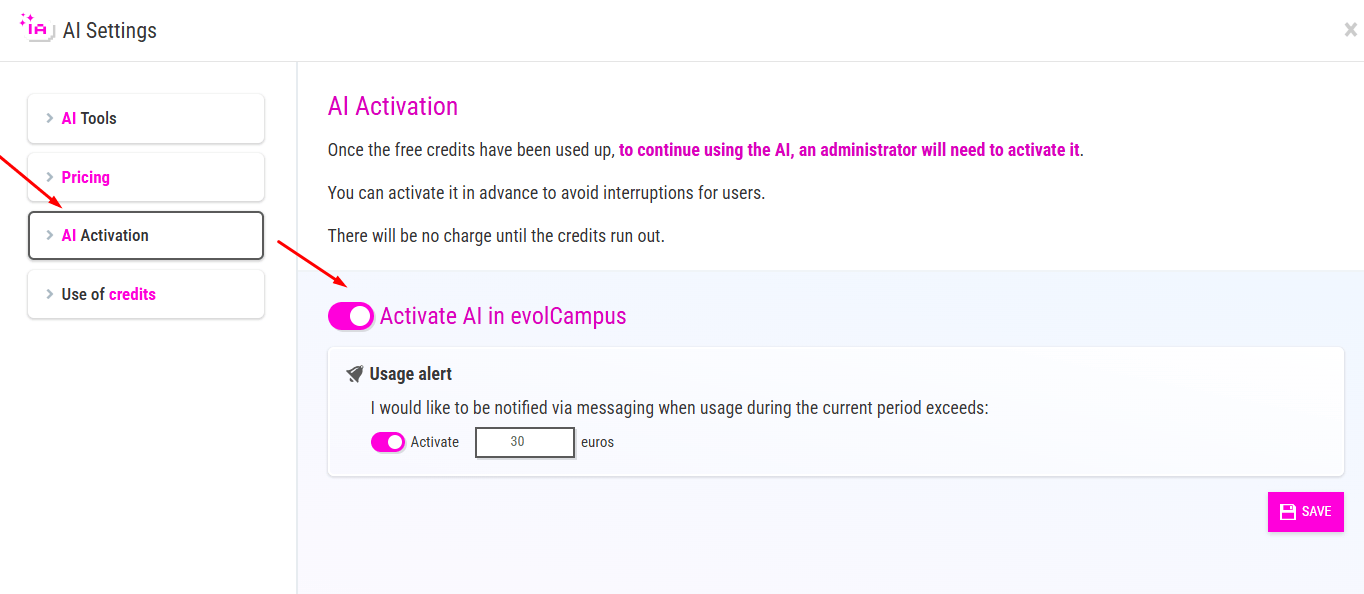
- AI Activation and configuration of alerts for maximum usage.
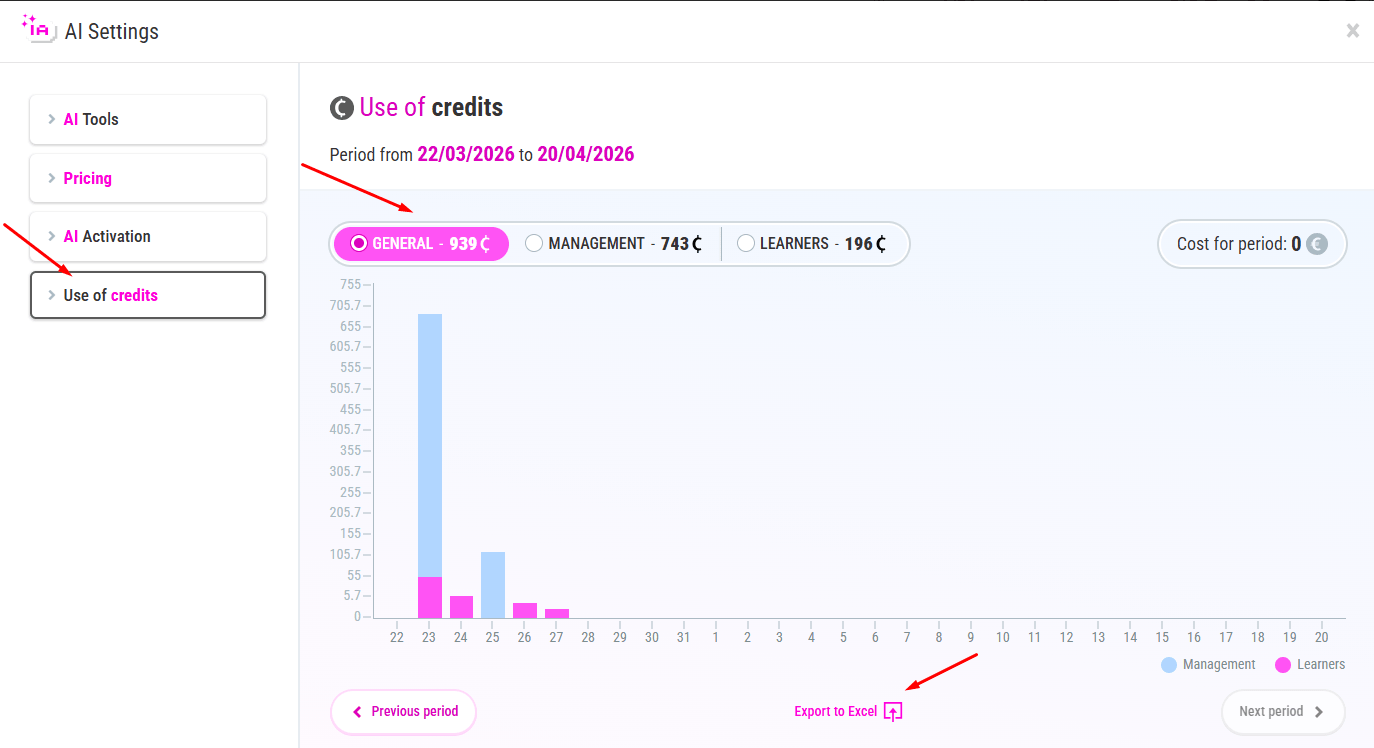
- Credit Usage: Breakdown of spending on content generation and campus features during each billing period.
PRICING
The price of the AI will be based on usage, whether at the management or campus level; in other words, there will be no additional fixed cost. The cost of credits will be displayed before you perform any action, so you will always know exactly how much it will cost you, which is a major advantage when it comes to tracking expenses.
Credits are how we will track the actions we perform, as they are required to perform any action with the AI. 1,000 credits equal 1 euro.
The number of credits consumed will depend on factors such as the length of a PDF or text, the duration of a video, or the questions you choose to generate when creating an activity. This cost will be unique and variable for each action and piece of content.
This is the system that best aligns with your actual usage. It is a purely pay-as-you-go cost, with no monthly fees or fixed charges to use it.
AI ACTIVATION
The AI will launch with 25,000 free credits so you can test it thoroughly and take advantage of its features. Once these credits are used up, you can choose to keep it active, as well as set up an alert to receive a notification if the specified amount is exceeded within a month, which can help you manage your spending.
USE OF CREDITS
On the use of credits screen, you can also track the breakdown of costs, both at the administrative level and by students. You’ll see details by user, assignment, and course, as well as the number of queries made by students, and you’ll have the option to export this information.
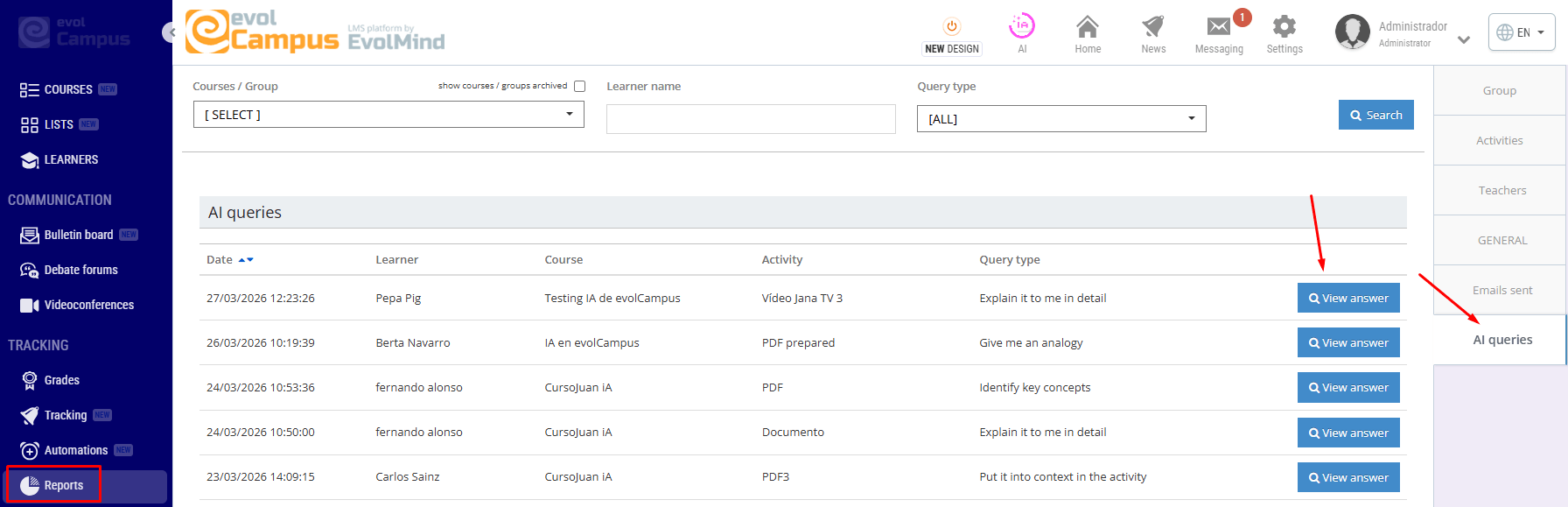
Finally, if you're curious, want to keep track or make sure that the answers provided by the AI align with your course content, you can access all the questions students ask in a new report.
We've attached an explanatory video that summarizes everything we've explained and that we're sure will answer any questions you may have.
Remember that the main features we’re introducing regarding the integration of AI into the platform are just the beginning. We have new ideas in the works that we’ll be developing after the launch such as, for example, allowing students to ask open-ended questions. Of course, we look forward to receiving your suggestions for improvement and ideas on how AI can add value to your project so we can evaluate their implementation and continue growing together.